
AI assistant inside Gmail Summaries · Replies · Translate
Write better Gmail replies in seconds.
ChatGPT for Gmail is an AI email assistant Chrome extension that reads context from your email thread and helps you respond faster: summarize, draft replies, improve rough drafts, and translate—without leaving Gmail.
Privacy note: the proxy server does not store your email data. Generated summaries and replies are saved only in your browser extension local cache.
Features built for Gmail workflows
Designed for busy inboxes: faster responses, consistent tone, and fewer mistakes. Keywords: AI email assistant for Gmail, email reply generator, email summarizer.
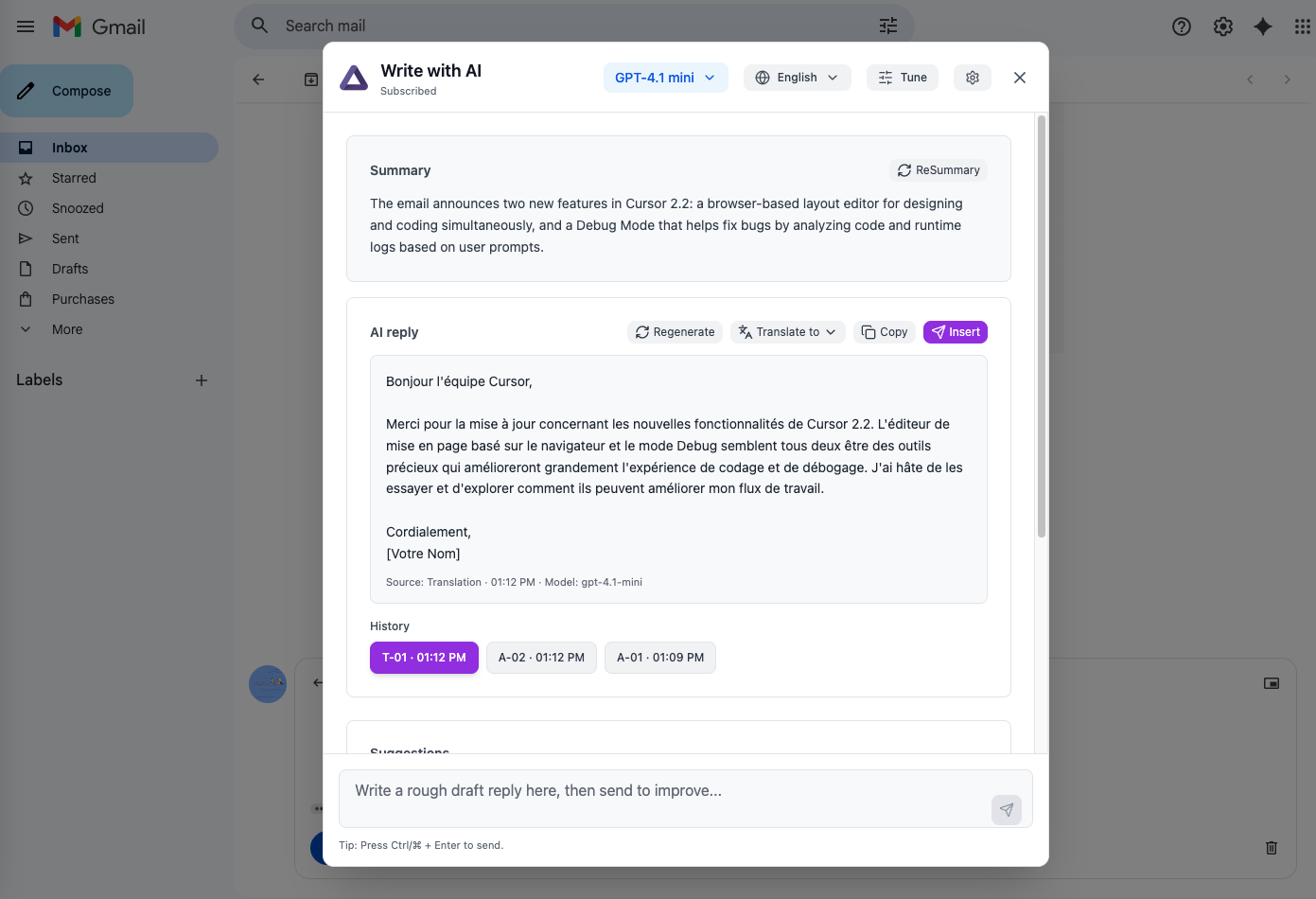
Open the AI assistant as a clean overlay inside Gmail—no tab switching.
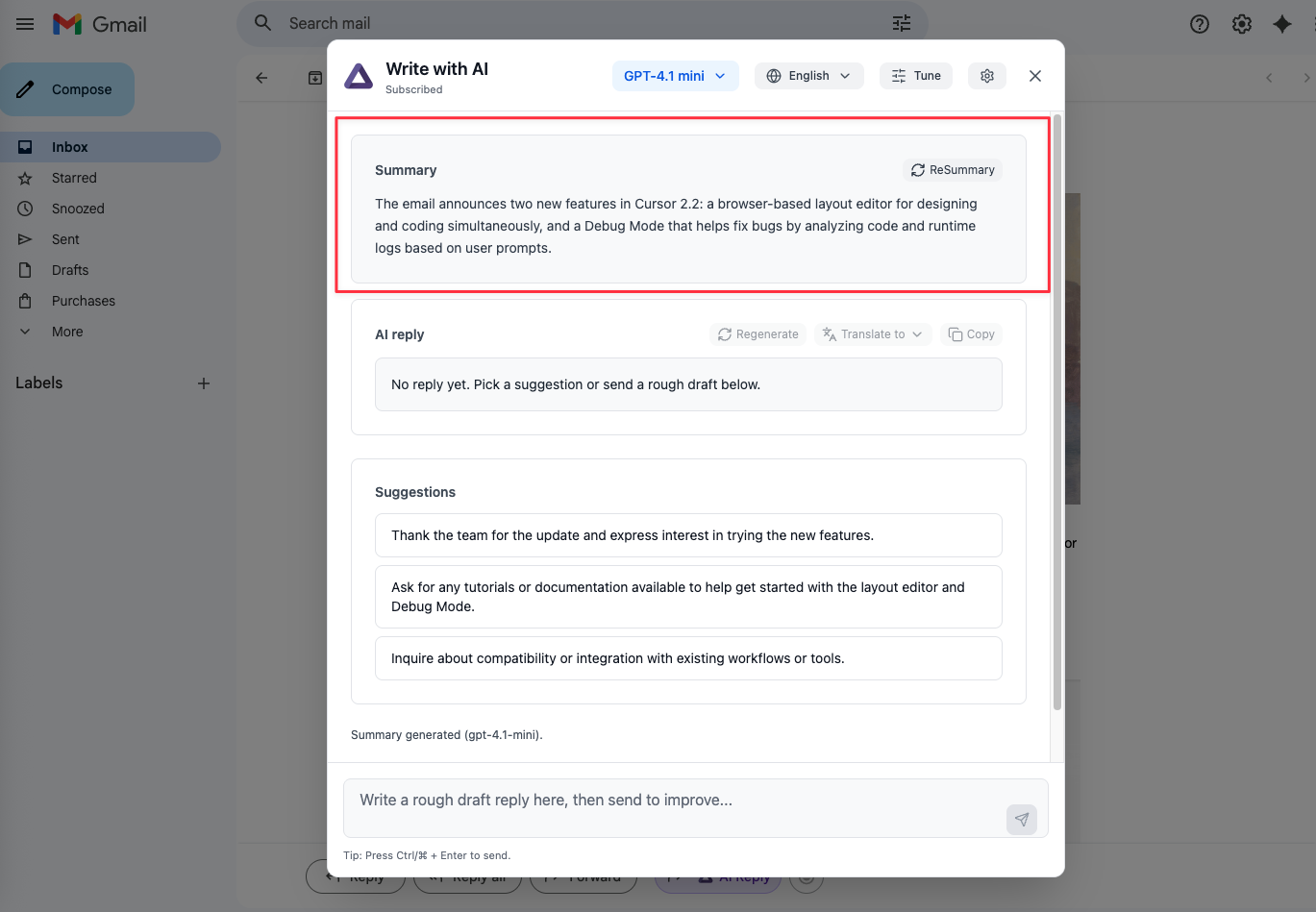
Get a clear summary of the latest email content and suggested reply intents.
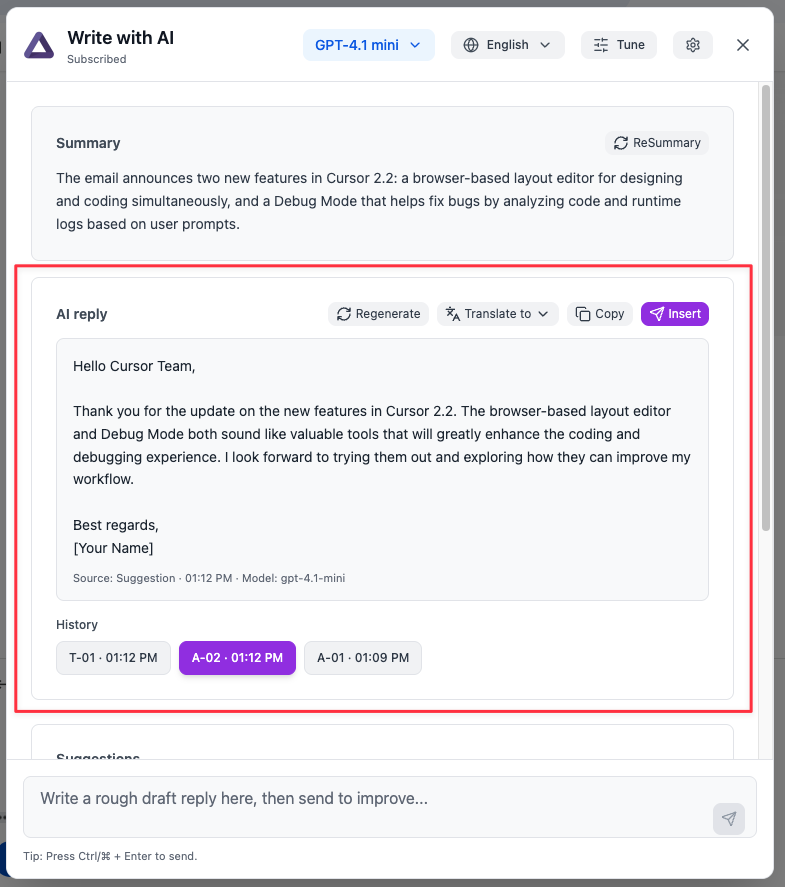
Generate replies based on the email context and your adjustments.
Turn rough drafts into polished messages with a natural greeting and sign-off.
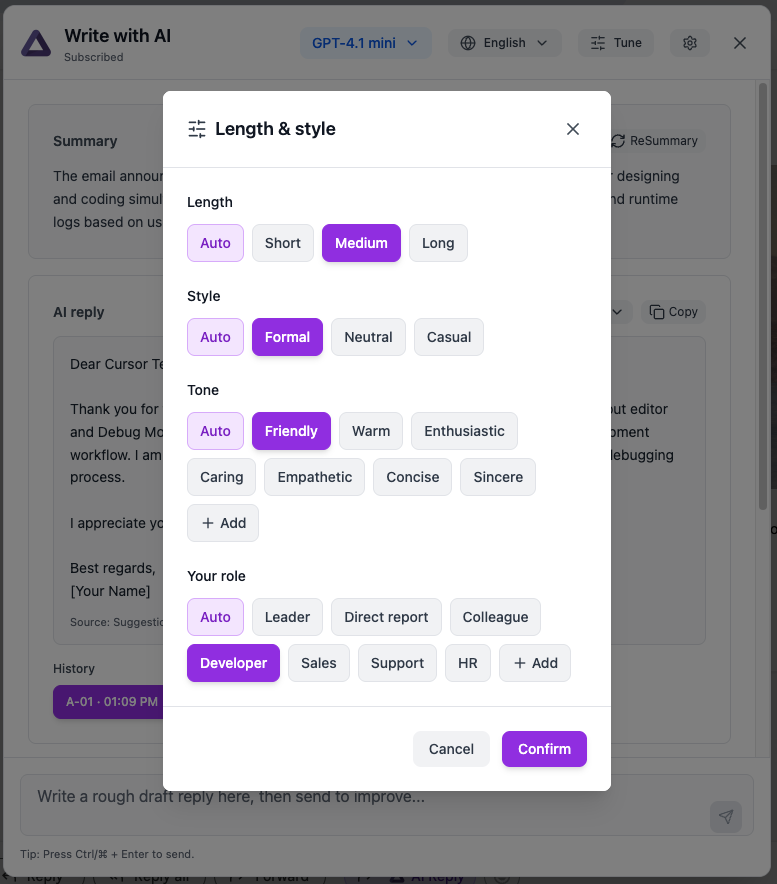
Control length, style, tone, and role—keep replies consistent across teams.
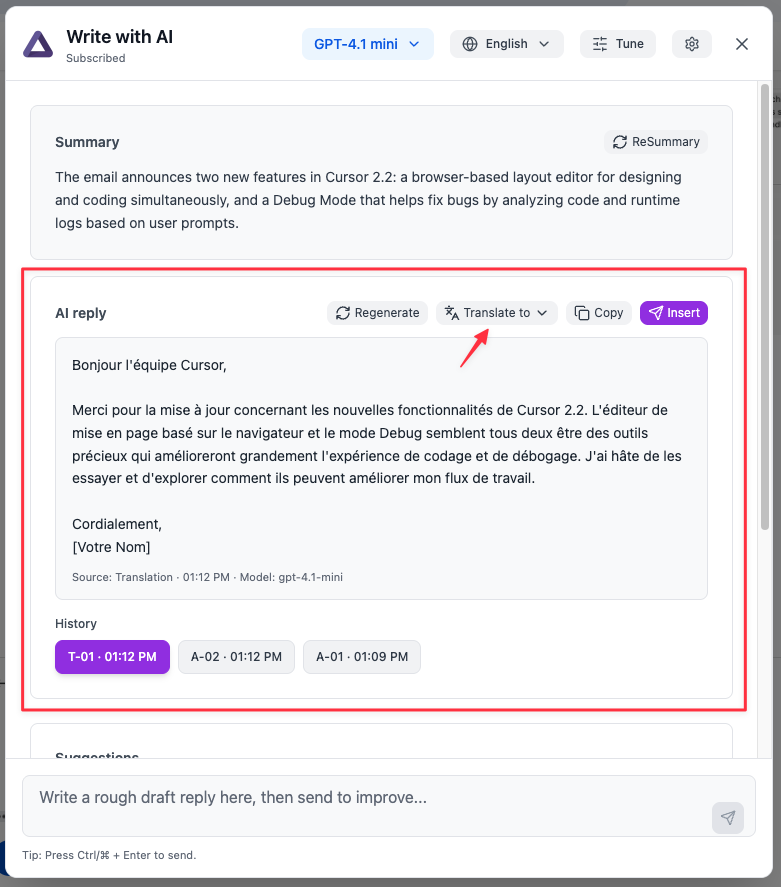
Translate generated replies to your target language and keep formatting.
- • How to reply to emails faster in Gmail
- • Generate professional email replies from context
- • Summarize long email threads in Gmail
- • Improve grammar and tone in business emails
- • Translate email replies while keeping formatting
How it works
A simple workflow: read the email, generate, refine, then copy or insert into Gmail.
Get a clean summary and 3 suggestions (reply intents). Re-summary any time when you change language or the email content updates.
Pick a suggestion or write a rough draft. Tune Up lets you adjust length, style, tone, and role.
Copy with one click, or insert into Gmail draft when the Reply editor is open.
Watch the demo (YouTube)
See ChatGPT for Gmail in action: summarize long email threads, generate context-aware replies, rewrite and polish drafts, then copy or insert the result back into Gmail in one click.
Pricing
Simple pricing for 1 user. Cancel anytime.
- • AI assistant overlay inside Gmail
- • Email summaries + reply intent suggestions
- • Context-aware reply generation (thread-based)
- • Improve your rough draft into a polished email
- • Tune Up controls: length, style, tone, role
- • Translate replies while preserving formatting
- • Reply history, regenerate, copy, and insert into draft
- • 24 Hours support
- • AI assistant overlay inside Gmail
- • Email summaries + reply intent suggestions
- • Context-aware reply generation (thread-based)
- • Improve your rough draft into a polished email
- • Tune Up controls: length, style, tone, role
- • Translate replies while preserving formatting
- • Reply history, regenerate, copy, and insert into draft
- • 24 Hours support
FAQ
Common questions about using an AI email assistant for Gmail.
Does ChatGPT for Gmail work with email threads?
Yes. It reads the latest email content and can generate summaries and context-aware replies that match the thread.
Can I reuse past replies and summaries?
Yes. The extension caches the latest history so you can switch between generated versions and pick the best one.
Can I translate a reply to another language?
Yes. Translate a generated reply to English, Chinese, Japanese, Korean and more, while preserving formatting.
Is it affiliated with Google?
No. ChatGPT for Gmail is an independent product and is not affiliated with Google.